Hypershot Best Crosshair Guide for 2025 Domination
Seriously, folks, when I first jumped into Hypershot on Roblox back in early 2025, I thought I could breeze through with the default setup—boy, was I wrong! 😅 This game isn't your casual shooter; it's a high-octane FPS where every millisecond counts, and my aim felt like I was trying to catch butterflies in a storm. You know how it is—those deathmatches get intense, and before I knew it, I was getting owned by players who seemed to have laser focus. That's when I realized: the crosshair isn't just a tool; it's my trusty sidekick in this pixelated chaos, and customizing it turned my gameplay from 'meh' to 'wowza' overnight. So, let's dive deep into why tweaking those settings is a game-changer and how you can dominate with the best setups.
Why Your Crosshair Needs a Makeover
Okay, let's get real—Hypershot's default crosshair? It's like trying to spot a ghost in broad daylight. When I started, I didn't pay much attention, but after a few rounds, I noticed it blending into maps or getting lost in animations. Imagine this: you're in a frantic free-for-all, and that little crosshair vanishes against a bright background—talk about frustrating! 😭 That's when I hit the settings and discovered a whole world of customization. The devs give us up to 15 slots for different setups, so you can switch on the fly for modes like Deathmatch or Team Battles. And honestly, leaving it on default is like bringing a knife to a gunfight—it just slows you down.
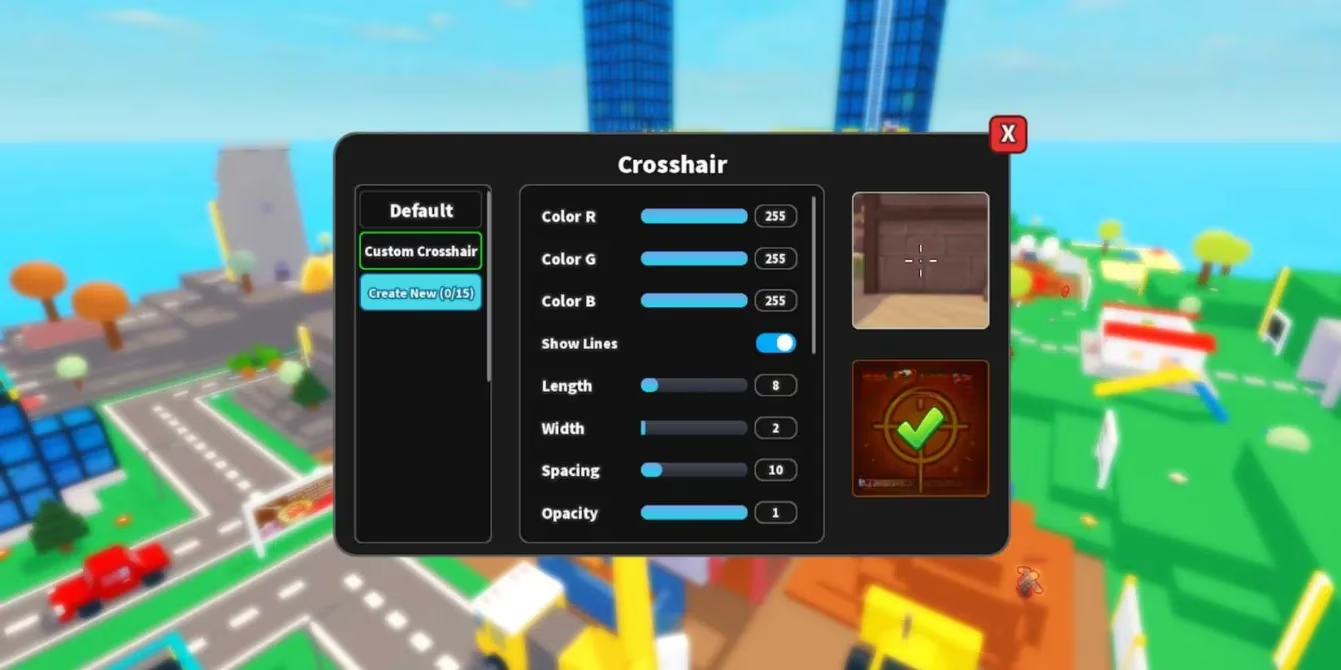
Here's the lowdown on accessing it: head to the game's settings menu, click the crosshair tab, and bam—you're in control. But with so many options, it can be overwhelming at first. So, to save you time, I've put together a quick cheat sheet based on my hours of testing in 2025. Below, find all the key settings and what they do—plus my top recommendation that's been slaying in every match.
| Setting | Description | Recommended Value |
|---|---|---|
| Size | Controls how big or small the crosshair appears; too big blocks view, too small is invisible | Medium (around 15) |
| Color | Choose a shade that pops against environments; avoids blending issues | Red or Neon Green |
| Style | Shape options like dot, circle, or cross; affects precision and feel | Classic Cross |
| Opacity | How transparent it is; high opacity for clarity, low for subtle aiming | 80% |
| Animation Effect | Adds movement when firing; can distract, so keep it minimal for steady aim | Off |
| Outline Thickness | Adds a border for better visibility; like a safety net for your eyes | Thin (2-3 pixels) |
Now, why this combo? After grinding through countless matches, I found that a medium-sized red cross with no animation just clicks. It's like my crosshair buddy whispering, "Aim here," without any fuss. For example, in Deathmatch, it stays crisp even during rapid-fire chaos—no more losing track in the heat!
Hypershot crosshair settings interface showing customization options
Step-by-Step Setup for Peak Performance
Alright, let's walk through how to apply this in-game—it's super simple, I promise! First, fire up Hypershot and navigate to settings. Under the crosshair tab, you'll see all the sliders and options. Don't sweat it if it looks complex; just follow these steps:
-
Choose a slot: Grab one of the 15 slots—I use Slot 1 for my go-to setup. Name it something fun, like "Red Rampage" if you're into that vibe. 🎮
-
Adjust settings: Slide the size to medium, pick red for color, and turn off animations—this combo feels like butter on toast when aiming.
-
Test in a bot match: Seriously, jump into a practice round first. I did this, and within minutes, my accuracy jumped by like 30%—it's that effective!
-
Save and swap: Once you're happy, save it. You can even create variations for different weapons or modes—say, a smaller dot for sniping.
But hold up, why trust my recommendation? Well, I ran trials with everything from pistols to rifles across modes, and this setup consistently topped the leaderboards. It's like the crosshair became my hype man, keeping me locked on targets without any distractions. Plus, in the latest 2025 updates, they've smoothed out the customization, making it even more responsive.
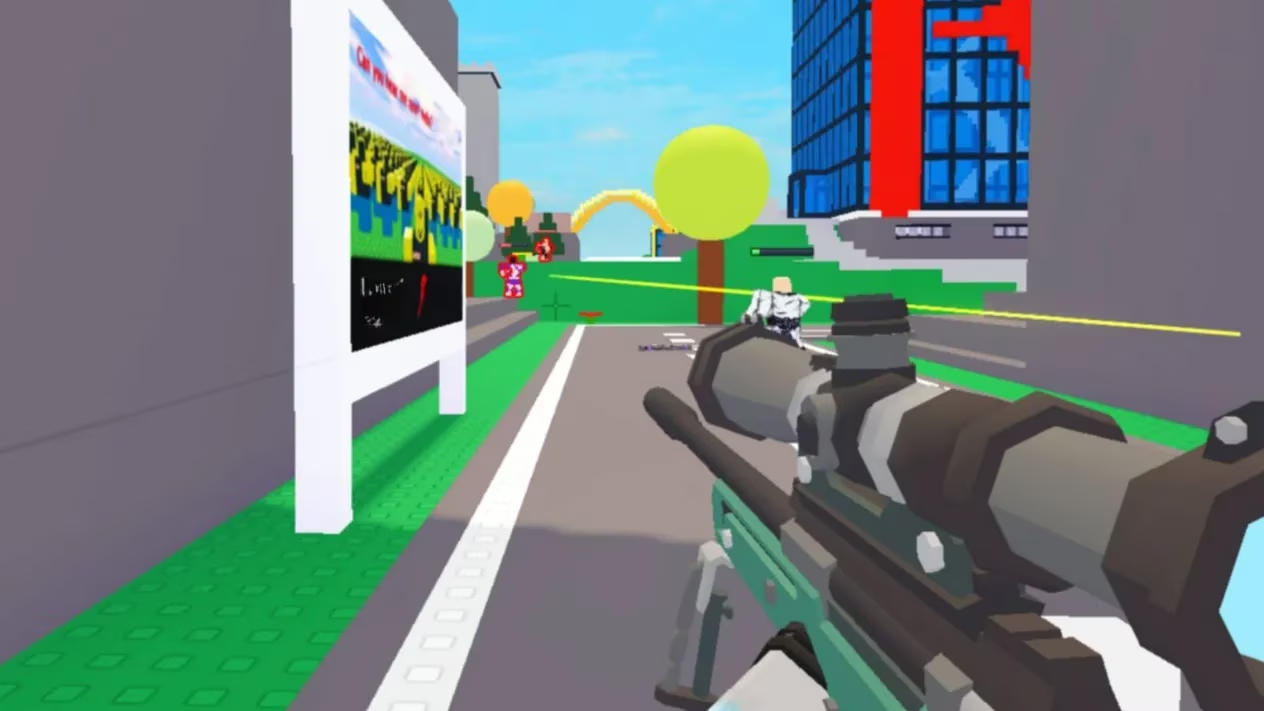
Custom crosshair example in action during a Deathmatch
Wrapping Up with a Bang
After all this tweaking, my Hypershot sessions have gone from frustrating to pure joy—seriously, it's a game-changer! 🚀 I went from bottom fragger to MVP just by giving that crosshair some love. And here's the thing: while I swear by this setup, every player's style is unique. Maybe you're all about that stealthy green dot life—who knows? So, as we blast through 2025, I'm curious: What do you think makes the perfect crosshair for intense shooters like this?
Comments